Artificial intelligence tools are gradually being integrated into people’s daily online work. Many people use them to write, search for information, or process simple tasks more quickly. Merlin AI is a tool that has recently garnered a lot of attention. But what exactly can Merlin AI do? How can it help users in their daily lives? This article will introduce the main features of Merlin AI and common ways people use it. For readers who are curious about its capabilities, a short merlin app review can help explain how the tool assists with writing drafts, summarizing webpages, answering questions, and improving productivity during everyday browsing.
What Is Merlin AI?
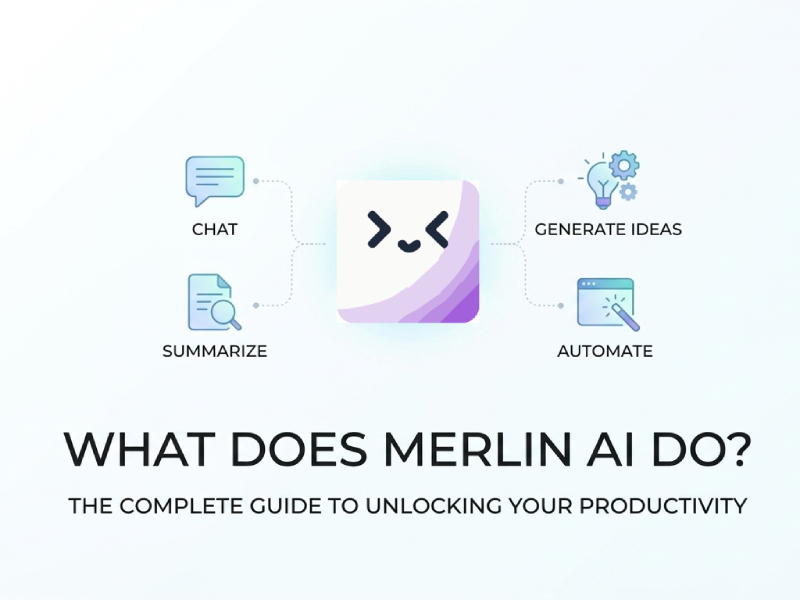
Merlin AI is an artificial intelligence assistant designed to help users complete various tasks while browsing the internet. It typically runs as a browser extension, meaning it can be added to browsers like Chrome and used directly on many websites. Users can access Merlin AI through their browser and seek help at any time without opening a separate tool or switching tabs.
Merlin AI’s main goal is to make online work faster and easier. Users can ask questions, generate text, summarize articles, or get quick explanations without leaving the current page. This is especially useful for people who spend a lot of time searching for information, writing content, or managing online tasks.
Another advantage of Merlin AI is that it is suitable for many types of websites and online tasks. Whether users are reading long articles, checking emails, browsing social media, or doing research, this tool can help draft text, create summaries, or explain difficult topics in a simple way. Many people who ask what is the Merlin app quickly find that it works as a practical assistant across different platforms. This flexibility is one reason it has become a popular AI tool for users who want to improve their online productivity without using complicated software.
Writing and Text Generation
One of Merlin AI’s main features is helping users quickly create text content. Users don’t need to start from a blank page; they can simply enter a short request and the tool can generate a draft in seconds. These drafts can be emails, blog posts, product descriptions, short reports, or simple messages.
For example, if a user needs to compose a work email, they can enter some basic information, such as the subject and purpose. Merlin AI will then generate a basic framework that users can adjust. This helps users save time and avoid spending too much time thinking about how to get started.
Merlin AI can also help improve existing text. Users can paste a piece of text and then let the tool rewrite, shorten, or make it clearer. This is very useful when editing articles, preparing online posts, or adjusting the tone of messages.
Because the tool runs directly in the browser, users can generate or edit text while browsing websites, documents, or online platforms. This allows users who frequently need to create content to complete writing tasks faster and more conveniently.
Summarizing Long Content
Another useful feature of Merlin AI is content summarization. Many websites contain long articles, reports, blog posts, or discussion threads that can take a lot of time to read. Merlin AI quickly analyzes the text and produces a short summary that highlights the most important points. This function is especially helpful for users who want to understand the main ideas without reading the entire page. In a typical merlin ai tutorial, this feature is often introduced as one of the easiest ways to save time while browsing information online.
This feature is very useful when users need to quickly grasp the main content of a page without spending too much time reading each paragraph. For example, when browsing news articles, research materials, or long guides, users can request Merlin AI to generate a summary of the content.
Merlin AI can simplify complex sections, transforming lengthy explanations into shorter, clearer sentences. This makes it easier for readers to quickly grasp the key information and decide whether to continue reading the full text.
Answering Questions While Browsing
Another useful feature of Merlin AI is its ability to answer questions while you browse the web. Users don’t need to open new tabs to manually search for information; they can simply ask Merlin AI questions directly on the currently viewed page. This allows users to easily understand content without interrupting their browsing process.
For example, when reading long articles, users may encounter terms or concepts they do not understand. Merlin AI can be explained quickly using simple and easy-to-understand language. If the page contains data, tools, or product information, users can also ask follow-up questions to learn more about the details.
This feature is especially useful when researching topics, reading guides, or exploring new tools. It allows users to quickly get answers and focus on the content they are currently browsing, thus saving time and maintaining a smooth workflow.
Helping With Social Media and Online Content
Many people also use Merlin AI to create online content. This tool can help generate headlines, short posts, or replies for social media platforms.
For creators or marketers who need to publish content regularly, Merlin AI can quickly provide ideas and drafts. Users can then edit the generated text to suit their own tone or brand identity.
Because it runs in a browser, it can be used when accessing Twitter, LinkedIn, or other social media websites.
Improving Productivity
One of the main reasons people use Merlin AI is to improve work efficiency. Merlin AI integrates a variety of useful functions into the browser, eliminating the need for users to frequently switch between search engines, writing tools, and note-taking applications.
For example, when reading long articles, users can quickly have Merlin AI summarize the content or explain specific parts. If users need to write an article based on this information, they can also generate a draft directly without opening other tools. This greatly reduces the time spent switching between different tabs or applications.
Merlin AI can also help with everyday tasks such as quick replies, creating short notes, or turning ideas into simple text. These tasks may seem trivial, but if repeated multiple times throughout the day, they can take up a lot of time.
Merlin AI can handle these routine steps faster, helping users focus on their main tasks. For users who frequently learn, research, or create online content, this can make daily tasks more efficient and organized, saving time.
Who Usually Uses Merlin AI?
Merlin AI is useful for different types of users, including:
Students who need help summarizing study materials
Writers who want assistance with drafts and ideas
Marketers who create online content
Researchers who read many articles or reports
Professionals who send emails and documents regularly
Because the tool is flexible, it can adapt to different types of work.
Limitations to Keep in Mind
While Merlin AI is very useful, it is better suited as an auxiliary tool rather than a complete replacement for human work. The text it generates can sometimes be too general, so users often need to edit and adjust the content to suit their own style or purpose.
When accuracy is of paramount importance, summaries and answers should be carefully reviewed. AI tools can simplify information, but may miss some details or context in longer articles. Therefore, when using this information for learning, work, or research, it is best to quickly consult the original text.
Merlin AI works best when users provide clear instructions. Brief or vague hints may lead to less useful results. When the request is specific and clear, the response is usually more helpful and relevant.
Tips for Using Merlin AI More Effectively
To better utilize Merlin AI, it’s recommended to use clear instructions and concise prompts. When asking Merlin AI to generate text or explain a topic, try to describe your needs precisely. For example, instead of asking for “an article”, ask for “a short blog post about a mobile app” or “a simple explanation of a technical topic”. Clear prompts usually lead to better results.
Another useful tip is to review and adjust the content generated by Merlin AI. The tool can quickly create drafts, summaries, or ideas, but users often improve the results by editing the text and adding their own ideas. This makes the final content sound more natural and personalized.
Combining Merlin AI with everyday browsing can also be very helpful. For example, when reading long articles or research materials, you can first let the tool generate a page summary, and then browse the full content as needed. This can save time and make it easier to process large amounts of information. If you are interested in trying these features, starting with a Merlin AI download is usually the quickest way to explore how the tool works and see how it fits into your daily workflow.
With clear prompts, quick editing, and good browsing habits, users can fully utilize Merlin AI’s various functions to complete daily online tasks more efficiently.